The home page
Onboarding hero
Section titled “Onboarding hero”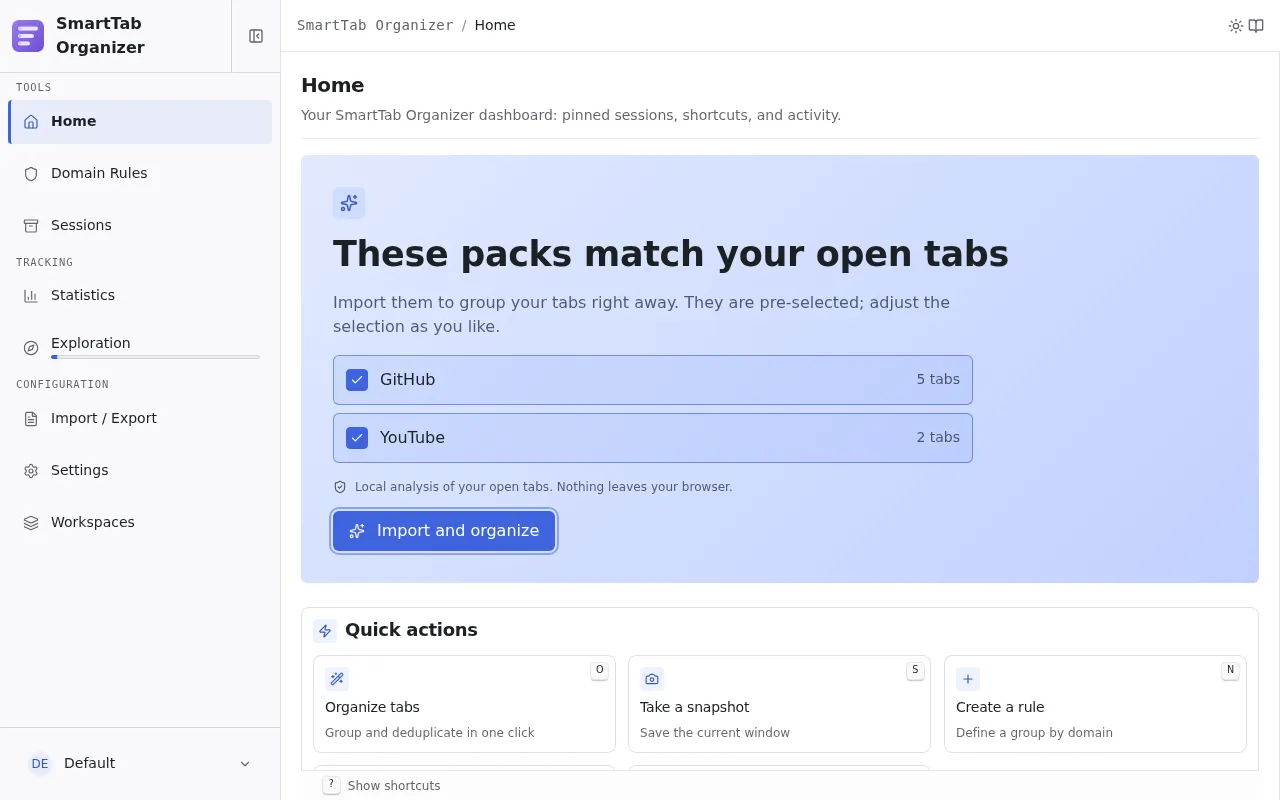
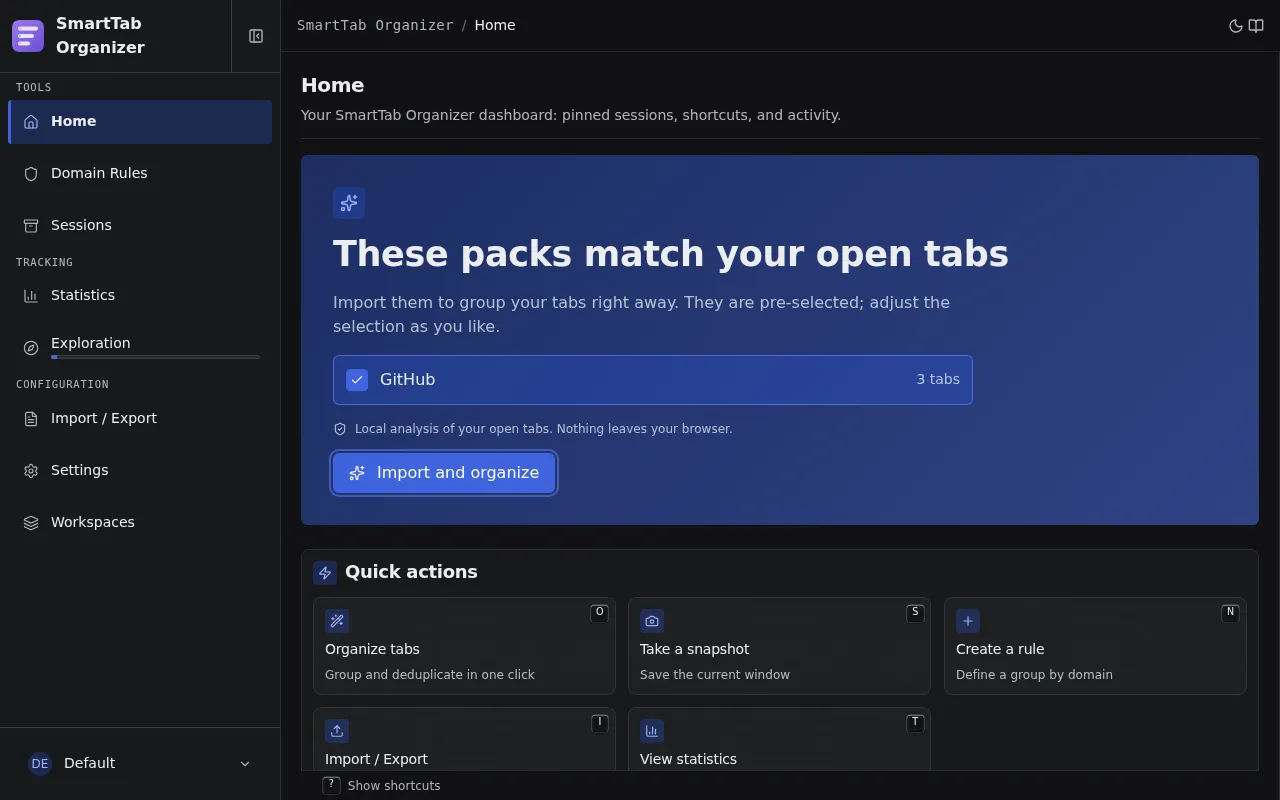
When no rule is yet defined in the active workspace, the onboarding hero occupies the top of the page.
If some of your open tabs match a ready-made pack, the hero becomes contextual: it lists the matching packs (with the number of matching tabs each), pre-selected, behind a single Import and organize button. The analysis is local (open tabs are read in the browser only, nothing leaves the machine) and the suggestions stay until a rule exists. After the import, an Organize now button rearranges your open tabs right away.
Otherwise the hero falls back to two generic actions:
- Create my first rule: opens the rule creation wizard directly.
- Import a rules pack: opens the packs gallery inside the import wizard.
As soon as a rule exists, the onboarding hero disappears and the other sections take over.
Pinned profiles
Section titled “Pinned profiles”This section gathers up to 6 pinned sessions from the active workspace, sorted by most recently updated. Each profile is rendered as a clickable tile, navigable with the keyboard (left/right arrows).
Four shortcuts drive restoration of the focused profile:
| Shortcut | Target | Behavior |
|---|---|---|
R | Customized restoration | Opens the restore wizard and lets you pick the mode. |
Shift + R | Restore in current window | Adds the tabs to the window currently in the foreground. |
Alt + R | Replace tabs in current window | Closes the current tabs and restores the profile in the same window. |
Alt + Shift + R | Restore in new window | Opens a new dedicated window and restores the tabs there. |
These four targets are also exposed in the popup. See Popup.
The action triggered by a click or by Enter is configurable in Settings (under Default action).
Quick actions
Section titled “Quick actions”A grid of everyday actions, each reachable with a single-key shortcut while the home page has focus:
| Shortcut | Action |
|---|---|
O | Organize all tabs using the active rules. |
S | Save a snapshot of the current window. |
N | Create a new domain rule. |
I | Go to Import / Export. |
T | Go to Statistics. |
Arrow keys move focus between cards; Home and End jump to the extremes.
Mini-statistics
Section titled “Mini-statistics”Three summary counters: groups created, duplicates closed, sessions saved. Each counter is clickable and takes you to the matching detailed page. The section only appears when at least one counter is non-zero.
A lightweight rotating carousel of tips (Smart mode, shortcuts, pinned sessions, packs). Its visibility can be disabled from Settings.